
Husky Hub

Year: 2024


For an advanced web development course, my 3-person group was tasked to make a Twitter clone using Express JS, Nunjucks templating language, and databases. Our Twitter Clone, rebranded as “Husky Hub,” allowed users to create an account, post “woofs,” and delete their own “woofs.” A direct message feature was designed, but not coded. This was a great experience in collaboration and coding together with GitHub. The project was well received and encompassed all of the design and coding knowledge learned to date in the digital media major.

Note: the link to Husky Hub is currently down, but will be reestablished shortly.
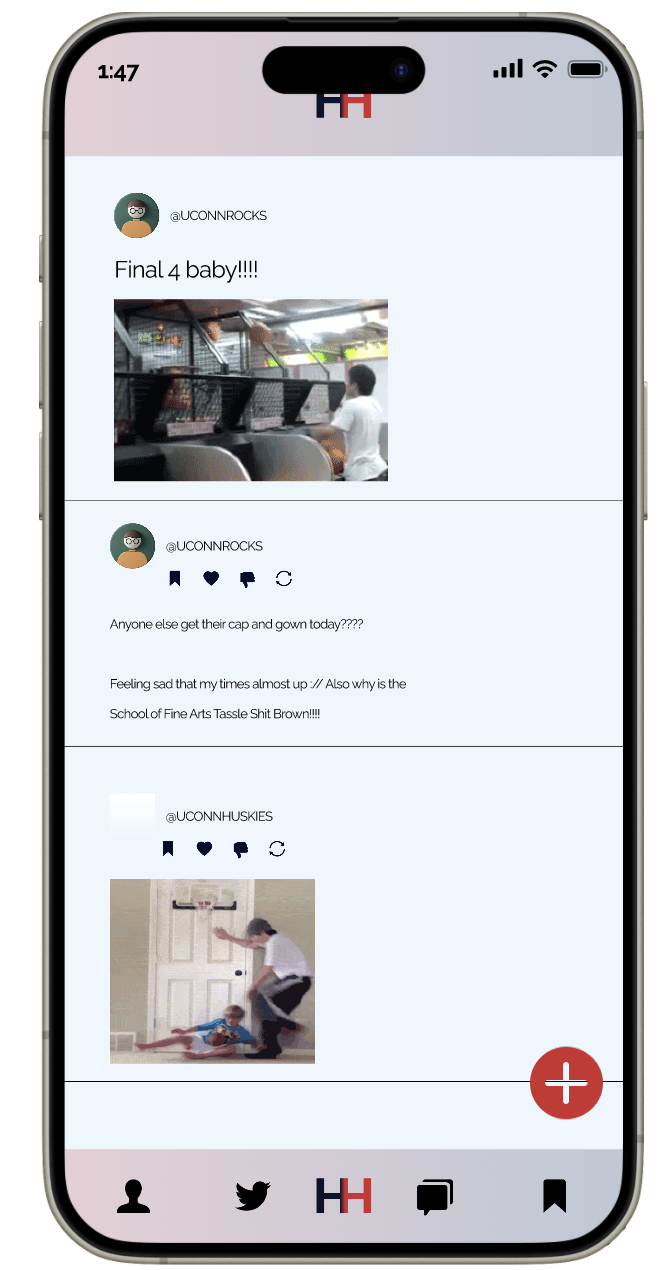
Smartphone screen showing a social media app called 'Husky Hub', styled with red, white, and blue branding. The top of the screen shows the time (1:47) and a logo with overlapping red and blue H’s. The interface features a vertical feed of posts. The first post is by @UCONNROCKS with the caption 'Final 4 baby!!!!' and a short looping video of someone playing an arcade basketball game. Below, the same user posts again, asking, 'Anyone else get their cap and gown today????' and adds, 'Feeling sad that my time’s almost up :// Also why is the School of Fine Arts Tassle Shit Brown!!!!' Reaction icons appear under the post: bookmark, heart, speech bubble, and refresh. The next post is from @UCONNHUSKIES and includes a looping video of an adult dunking a basketball on a toy hoop over a door while a child falls to the ground. The bottom navigation bar has five icons: a person silhouette, Twitter bird, the Husky Hub logo, a speech bubble, and a bookmark. A large red circular button with a plus sign for creating a new post floats in the bottom right.